

Description
Business Hangouts: Seamless Webinars & Conferencing
Overview
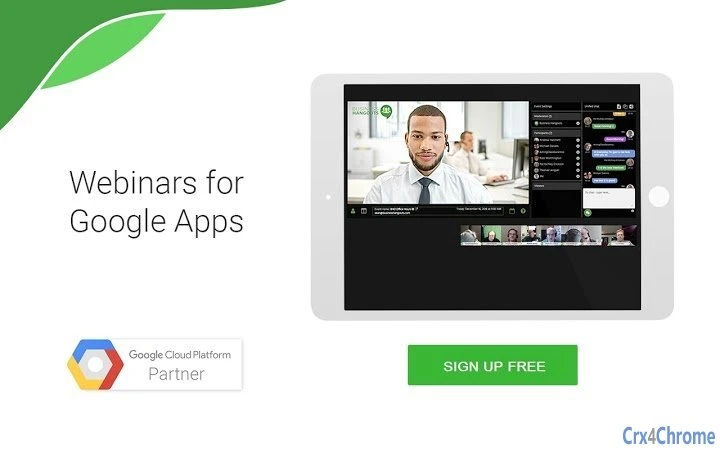
Business Hangouts is a desktop software designed to streamline webinars and video conferencing for organizations using Google G Suite. It integrates deeply with core G Suite services, including Google Docs, Sheets, Drive, and Slides, enabling users to manage content and collaborate in real time during live events. The software supports event planning, participant registration, and content sharing across multiple file formats such as PDF, PowerPoint, Word, and Excel. It is built for professionals across education, enterprise, government, marketing, and non-profit sectors who need a reliable platform to host large-scale virtual meetings or training sessions.
Key use cases include live lectures for universities, corporate training, town hall meetings, product launches, and fundraising campaigns. The platform allows both private and public events, with flexible registration options via Gmail, LinkedIn, Facebook, or any email address. It also offers fixed URLs for permanent virtual meeting rooms, enhancing accessibility and continuity across sessions. The developer did not provide additional details about the company or its background, but the software is noted for scalability, supporting over 5,000 simultaneous attendees.
Key Features & Capabilities
- Deep G Suite Integration – Seamlessly connects with Google Docs, Sheets, Drive, and Slides for real-time content access and collaboration during events.
- Multi-Format Content Sharing – Supports sharing of PDFs, PowerPoint, Word documents, Excel files, and other widely used formats during live sessions.
- Customizable Event Pages & Email Templates – Allows branding of event pages and automated email communication for registration and reminders.
- HD Video Conferencing with Screen Sharing – Enables high-quality video calls and real-time screen sharing for presentations and demonstrations.
- Scalable Event Hosting – Designed to support over 5,000 attendees simultaneously, making it suitable for large organizations and public events.
- Flexible Registration & Access – Participants can register using Gmail, LinkedIn, Facebook, or any email address without requiring software installation.
- Participant Moderation & Chat Controls – Offers moderated chat with full control over participant behavior, ideal for maintaining order in large meetings.
- Permanent Virtual Meeting Rooms – Provides fixed URLs for recurring or long-term virtual spaces, improving consistency and ease of access.
- Event Analytics & CRM Integration – Tracks event performance and integrates with popular CRM systems and email platforms like MailChimp.
- Managed Event Services – Offers end-to-end support, including content creation and full event management for users who prefer hands-on assistance.
User Interface, Workflow & Performance
The user interface is designed for simplicity and efficiency, focusing on intuitive navigation for event organizers. Core functions such as event creation, content upload, participant registration, and session launch are accessible through a clean, centralized dashboard. The workflow emphasizes speed and ease, allowing users to set up a webinar or meeting in minutes. Navigation is straightforward, with clearly labeled menus and real-time previews of event pages and registration forms.
Performance details were not specified by the developer. However, based on general software behavior, the application operates within standard resource usage patterns for desktop web conferencing tools. The developer did not specify resource usage details, so CPU and RAM behavior cannot be confirmed. Stability is expected to be consistent given the software’s focus on scalability and reliability. No reports of crashes or performance degradation were provided, and the application is designed to function without requiring additional software or special PINs, reducing user friction.
Compatibility & System Requirements
Business Hangouts is compatible with Windows, Mac, and Linux operating systems. The software has a minimal installation size of 1.2 MB, indicating a lightweight footprint. It is designed to run efficiently across modern desktop environments without demanding high-end hardware. The developer did not provide additional system requirements, so exact hardware specifications such as processor speed, RAM, or GPU capabilities remain unspecified.
Given the software’s reliance on web-based services and integration with Google G Suite, compatibility with current browser versions is assumed. However, no explicit browser requirements were listed. The application does not require installation of additional plugins or software, and its operation is primarily dependent on a stable internet connection and access to Google services.
Pros and Cons
Pros
- Deep integration with Google G Suite for seamless content management
- Supports large-scale events with over 5,000 attendees
- No software installation required for participants
- Flexible registration via multiple platforms including Gmail and social media
- Customizable branding and automated email workflows
- HD video quality and reliable screen sharing
- Permanent meeting room URLs for recurring sessions
- Comprehensive analytics and CRM/email platform integration
Cons
- Exact system requirements were not listed
- Resource usage details were not specified
- Developer background not disclosed
- Performance benchmarks not provided
- Limited information on offline functionality
FAQ Section
Is Business Hangouts compatible with all major operating systems?
Yes, Business Hangouts supports Windows, Mac, and Linux, ensuring broad accessibility across desktop environments.
Can I use Business Hangouts without installing any software?
Participants do not need to install any software. The platform operates through a web-based interface accessible via standard browsers.
Does Business Hangouts support integration with CRM and email platforms?
Yes, it integrates with popular CRM software and email platforms such as MailChimp for streamlined marketing and event management.
Is the software secure and private?
Business Hangouts supports both private and public events. While specific security protocols were not detailed, the software is designed for secure communication in sensitive environments like government and education sectors.
How often are updates released?
Regular updates are provided to maintain compatibility and enhance functionality, though the update frequency was not specified.
Final Thoughts
Business Hangouts delivers a powerful, integrated solution for hosting webinars and video conferences within the Google G Suite ecosystem. Its seamless content sharing, scalable architecture, and ease of use make it a strong choice for educators, enterprise teams, and event organizers. The absence of software installation for participants and the ability to create branded, permanent meeting rooms add significant value. While detailed system requirements and performance metrics are not available, the software’s lightweight design and broad OS support suggest accessibility for most users.
Organizations seeking a reliable, scalable, and fully integrated webinar platform will find Business Hangouts to be a compelling option. With a free pricing model and comprehensive feature set, it stands out as a top-tier tool for virtual event management.
Download Business Hangouts now
Guides & Tutorials for Business Hangouts App for Chrome
How to install Business Hangouts App for Chrome
- Click the Preview / Download button above.
- Once redirected, accept the terms and click Install.
- Wait for the Business Hangouts App for Chrome download to finish on your device.
How to use Business Hangouts App for Chrome
This software is primarily used for its core features described above. Open the app after installation to explore its capabilities.
User Reviews for Business Hangouts App for Chrome 0
No reviews found





